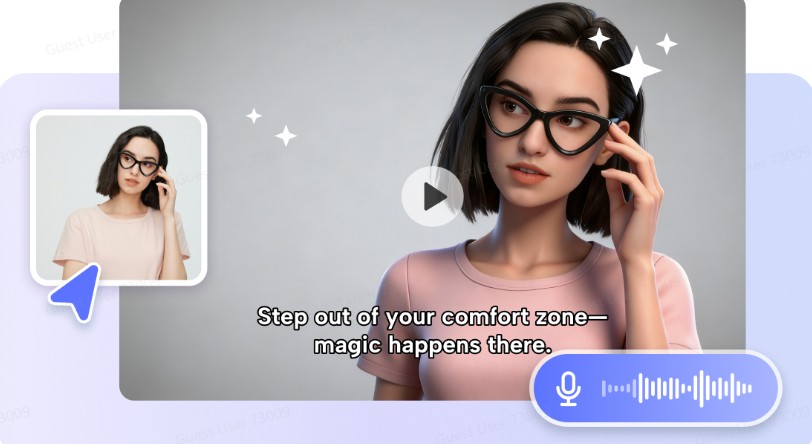
The part that can be the most difficult to master in a new language is speaking. Many students know their grammar rules and command their vocabulary but have problems in speaking. They can be afraid to make mistakes, don’t get a lot of practice and have trouble speaking up. It can also take a long time and be a lot of work to set up individual speaking sessions for each learner in a language learning center. This is where AI avatar technology promises exciting opportunities.
Language centres do not only have to depend on the traditional language learning class, but can now make speaking practice available at any time and place with the help of an avatar. Tools such as Pippit allow you to produce interactive video to enable students to develop their pronunciation, listening and speaking fluency.
Making language exercises more ‘real’ conversations
A number of students become disheartened with speaking practice that has no link to real life scenarios. Isolated vocabulary words or scripted dialogues may be helpful in the beginning but students will likely need richer interactions.
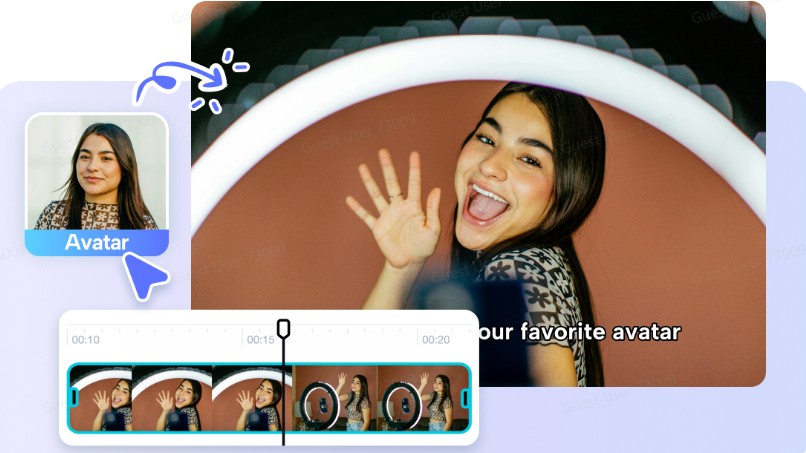
Avatar lessons can be realistic – for example, ordering food, going for a job interview, introducing yourself, asking directions, or interacting in work-related conversations. These contexts enable students to gain insights into the natural use of language in a real-life context.
Find ways to help students overcome the fear of speaking
One of the most serious hindrances to language learning is the fear of being wrong. Some students are reluctant to take part for fear of making errors in pronunciation or in proper grammar.
With avatar-based lessons, students can learn without the pressure of being judged as they can practice again and again. They have opportunities to listen attentively and repeat phrases, and to develop confidence at their own speed.
Providing Support to Multilingual Education Across Language Centres
Language Teaching and Learning centres cater to a variety of students from multi-lingual communities and offer courses in many different languages. Creating content for all programs separately can be very difficult and time consuming. Using avatar based lessons can help teachers quickly create engaging and consistent learning materials, as well as provide teachers with a means of providing multilingual instruction without redesigning all their lessons from scratch. Pippit’s video agentallows teachers to adapt scripts, storylines and lesson materials into multiple languages while maintaining the original meaning of the material so that teachers can deliver multi-lingual instruction.
Creating engaging speaking lessons with Pippit
Creating avatar-based language practice videos doesn’t need to be highly sophisticated or technically accomplished. Pippit offers a realistic and feasible process to develop educational materials for speaking development.
Step 1: Pick an avatar
To access Pippit, locate Video generator from the left-side menu. You may select from existing avatars or create new ones using the Popular tools option under Avatar Video.
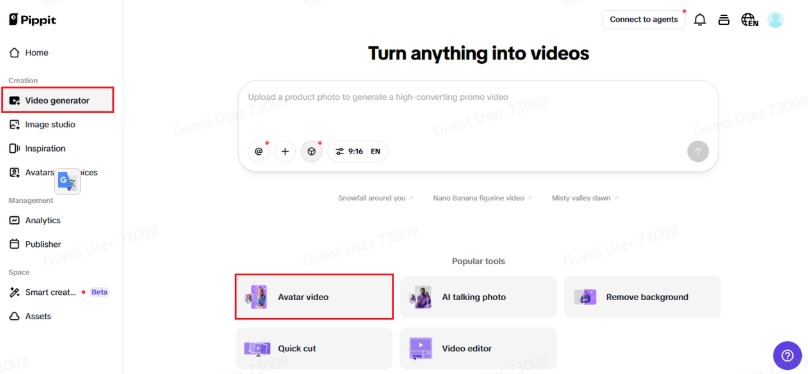
This will allow you to create an engaging and interactive experience while recording voiceovers to synchronise with avatars. Select an avatar that is suitable for your lesson style and target students.
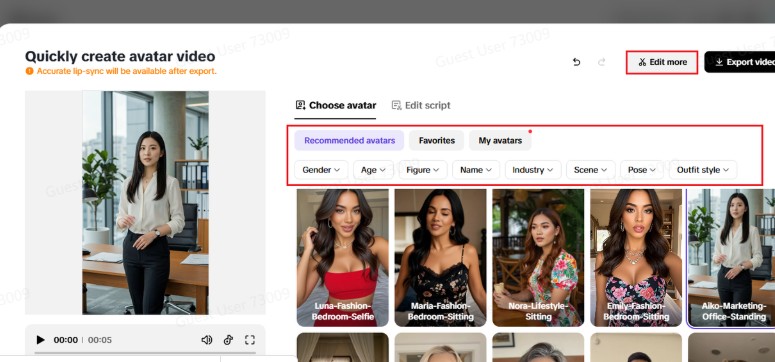
Step 2: Lip sync with your script
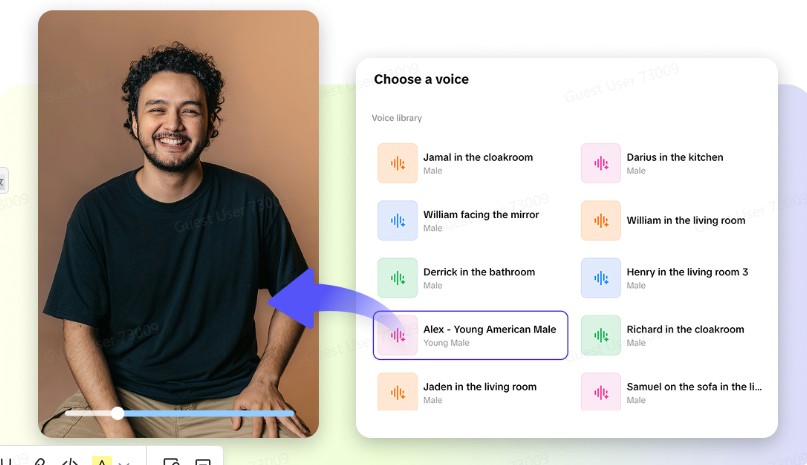
Once you have accessed the avatar tools, choose your avatar from the “Recommended avatars” section. The avatars can be filtered by gender, age, industry and other criteria to ensure they are a perfect match for your video. You can edit the dialogue by clicking on the Edit script button after you have picked an avatar, and then type in your text, in any language, and it will be lip-synched to the avatar correctly when you play the video back. To make your video even better, scroll down to Change caption style, and you will be able to choose from a number of different caption styles that go well with your video’s theme, and make the video look more interesting.
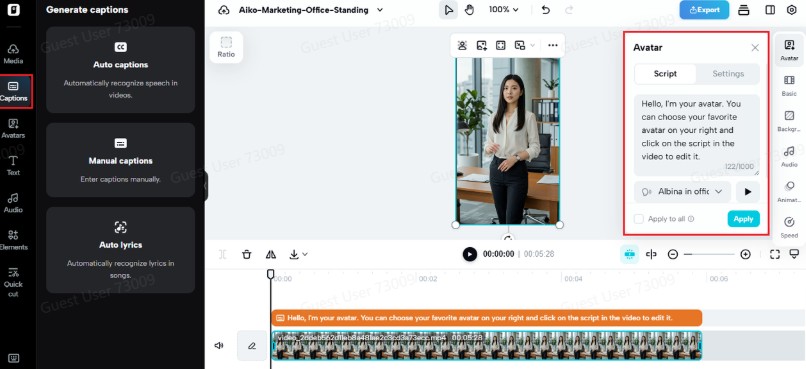
Step 3: Export & share your video
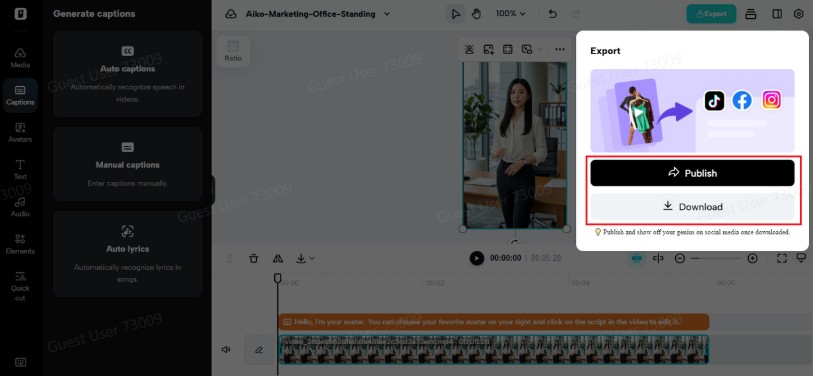
Once you have completed your lip sync, you will want to go back to Edit more and adjust various aspects of your video. For example, you can make adjustments to the script, voice timing, and/or facial expressions in the video editor to achieve the most accurate results. You also have the option to add text overlays and/or background music to give your final product additional flair. When you are satisfied with your video, you can click Export to save your video in the format of your choice. You can also use the Publisher feature to share your video directly to TikTok, Instagram or Facebook, or you can schedule it for future publication. Additionally, you can track the success of your video in the Analytics section and use that information to improve the quality of your future videos.
Prompting ongoing practice outside of class time
Language learning is challenging because it requires constant practice. Pupils may come to lessons on time but then have problems continuing to work on the speakingtasks in class.
Using Avatar videos can complement classroom learning and offer students opportunities to practise their learning anytime they might have free time. Learners are able to review lessons, repeat conversations and practise skills at any time between lessons.
This flexibility fosters better learning routines and helps to build up long-term language acquisition.
Developing more interactive learning opportunities
Today’s learners are interested in learning through play, movement and having access to resources needed to learn. Using avatars to deliver lessons allows for a visual medium that includes narration and structure of activities while engaging students in learning.
Language centres can still use some of the traditional methods of teaching. However, they have the ability to create a “scene” that provides a level of excitement and relevance.
Language learning continues to change and moves toward more personalized learning experiences
Avatar speaking lessons allow language centres to provide fun and motivating opportunities for learners to build their confidence, fluency and access to language through interactive experiences.
Pippit makes it easy for teachers to provide quality speaking practice for their students without the added difficulty of using other resources. Now is the perfect time to find out how Pippit can upgrade speaking practice with avatars in video format to improve learner involvement and offer more individualized language learning experiences.